Submit a job
You can submit a job two ways: from the MinRender Monitor itself, or from one of the DCC plugins shipped in the sync root’s plugins/ folder.
From the Monitor
Click New Job in the Jobs panel (or Jobs → New Job… in the menu bar), then pick a template.
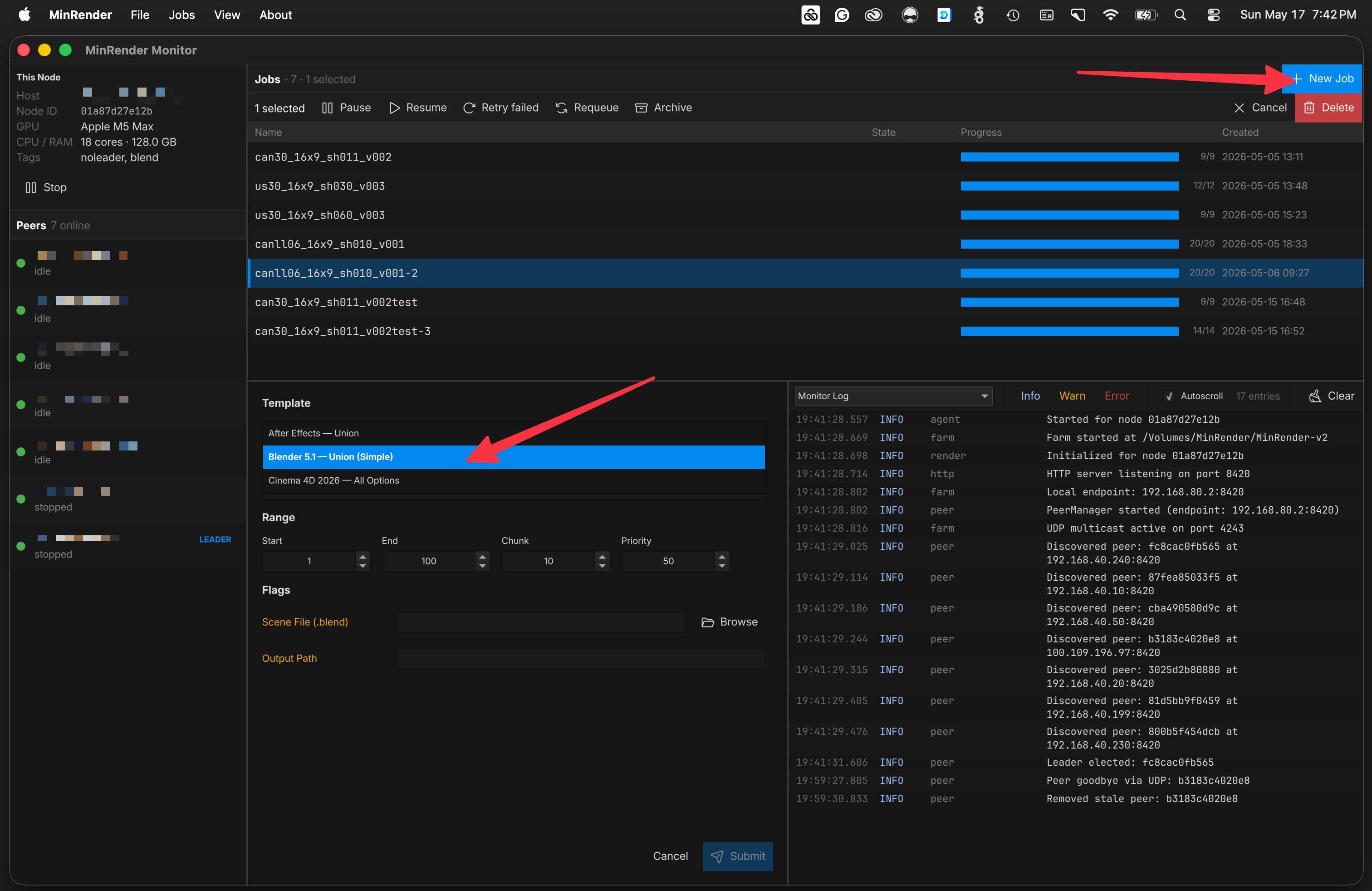
Fill out the form. Fields marked with an asterisk are required; everything else is either ignored or left to the DCC’s defaults if blank. Press Submit.
Priority defaults to 50 — lower numbers render sooner. It isn’t locked in at submission: you can change it later from the job detail view, or drag jobs of equal priority into a custom order in the Jobs panel. See job order & priority.
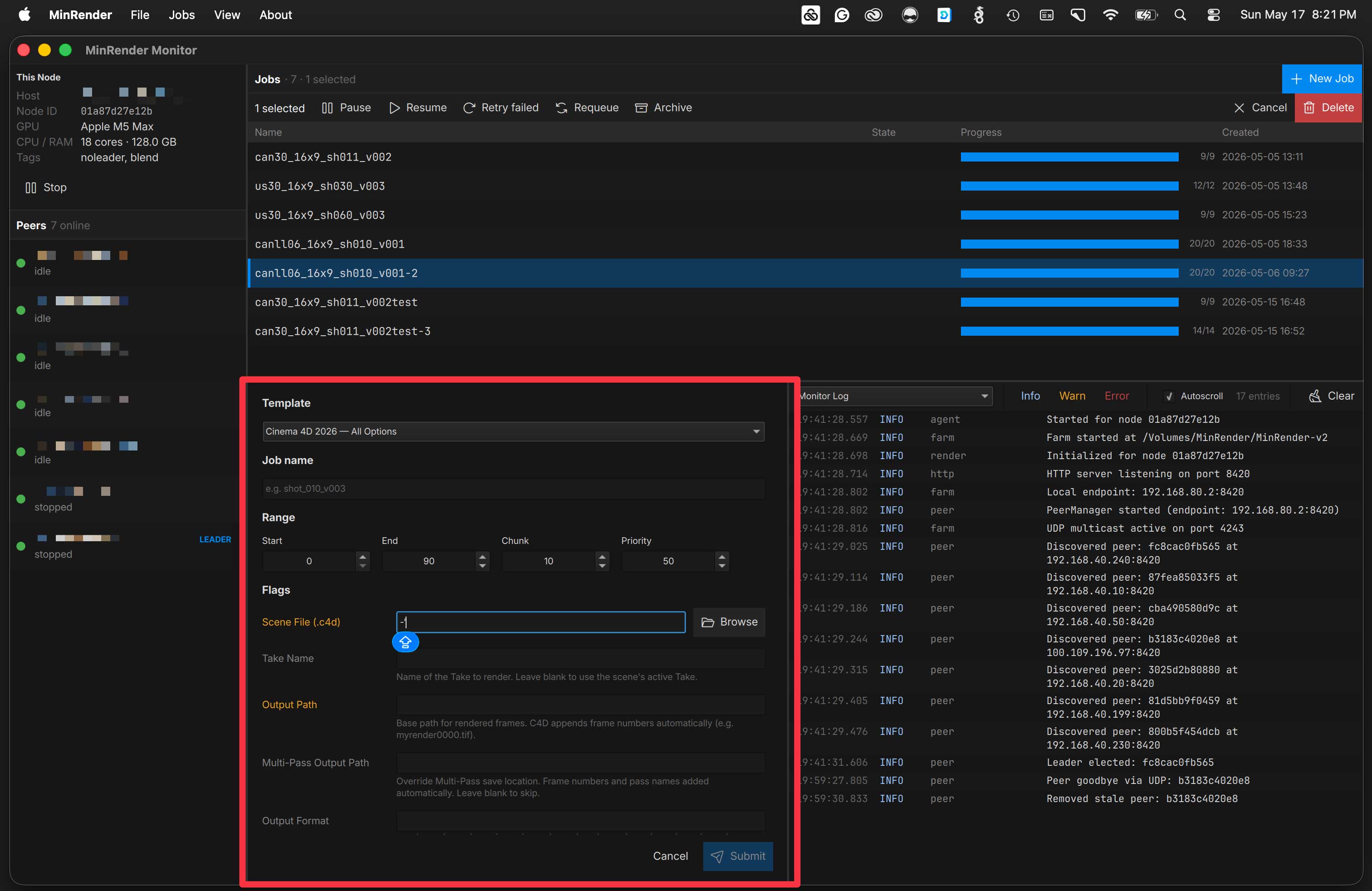
It’s easy to create your own templates with only the fields you care about. Navigate to your sync root and duplicate one of the files under
templates/examples/, drop the copy intotemplates/, strip flags you don’t want, and prefill defaults. See Job templates for the full reference.
From a DCC plugin
The DCC plugins build the same JSON submission the Monitor’s form does, but they pull frame ranges, output paths, and scene metadata straight from the application. Plugin files live in the sync root under plugins/.
After Effects
Install plugins/afterEffects/MinRender.jsx into your After Effects Scripts/ScriptUI Panels folder, then open it from Window → MinRender. Press Scan Render Queue to load active items, set options, and press Submit.
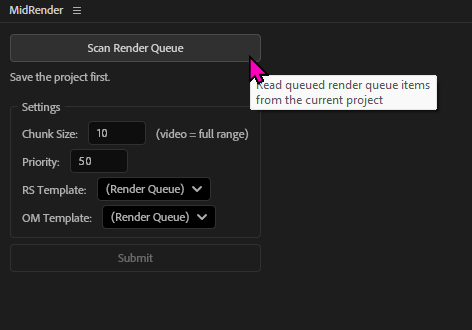
Chunk size is honored for image sequences, but not for video outputs. For video, the plugin automatically sets chunk size to the full duration so a single file gets rendered.
Blender
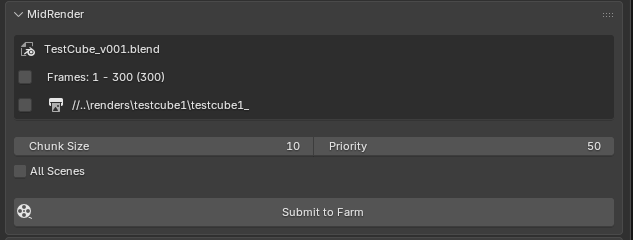
Use Edit → Preferences → Add-ons → Install from Disk in Blender and point it at plugins/blender/<addon>.zip. The MinRender submitter appears in the Render Properties panel. It auto-collects your output path and frame range, but you can adjust them before pressing Submit to Farm.
Cinema 4D
Copy plugins/cinema4d/MinRender.py into your %appdata%\Maxon\<C4D version>\library\scripts folder. Run it from Extensions → User Scripts → MinRender. It pulls render paths and frame ranges from your scene’s render settings. Press Submit to Farm when ready.
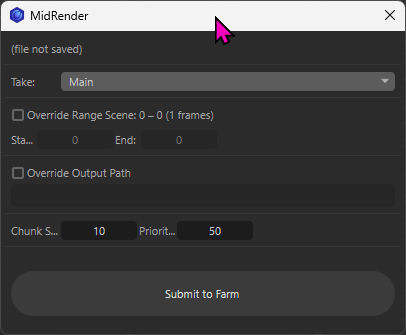
Cinema 4D has only been tested with a single license so far. It should work fine distributed across the farm though (famous last words).
Next
Once a job is submitted, watch it render.